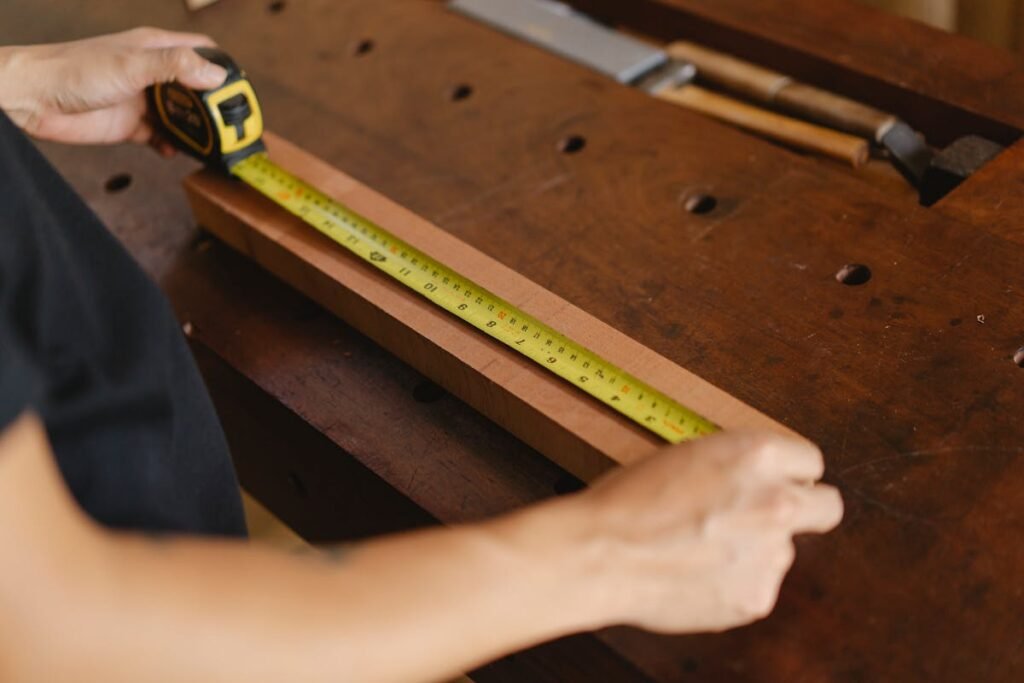
If you are moving goods internationally, you quickly learn one hard truth: Space is money. You Should know about what is CBM Calculator.
Whether you are an Amazon FBA seller, an importer bringing in stock, or a family moving overseas, the price you pay isn’t just about how heavy your boxes are. It is about how much room they take up on the ship or plane.
That is exactly why we built the CBM Calculator above. It eliminates the guesswork, helps you avoid surprise fees, and ensures you know exactly how much volume your cargo occupies before you even book a shipment.
Below, we’ll explain how to use CBM to your advantage, how to avoid the “Volumetric Weight” trap, and how to maximize your container space.
Table of Contents
What is CBM Calculator?
CBM stands for Cubic Meter (m3m3)
It is the universal language of freight forwarding.
A CBM Calculator is a digital tool that takes the dimensions of your cargo (Length, Width, Height) and the number of cartons, then tells you the total volume. While the math seems simple, small mistakes in unit conversion (like mixing up centimeters and inches) can lead to massive discrepancies in your shipping quote.
Our tool handles these conversions automatically, giving you precise data to give to your freight forwarder.
Why “Guessing” Your Volume is Dangerous
You might think, “I’ll just estimate it.” Here is why that is a bad idea.
Freight carriers use a charging method called Chargeable Weight. They look at two numbers:
- The Actual Weight (on the scale).
- The Volumetric Weight (based on size).
They will charge you for whichever number is higher.
If you are shipping a large box of pillows via air freight, it might only weigh 5kg on the scale. But because it takes up space, the carrier might charge you as if it weighed 25kg. By using our CBM Calculator, you will see the Volumetric Weight instantly, allowing you to budget for the real cost, not just the weight on the scale.
How to Use the Tool Above
We designed our calculator to be the simplest on the web. Here is the workflow:
- Select your Unit: Are you measuring in centimeters, millimeters, inches, or feet? Select the tab that matches your tape measure.
- Input Dimensions: Enter the Length, Width, and Height of one single carton.
- Note: Always measure the outer packaging, not the product inside!
- Enter Quantity: How many of these boxes are you shipping?
- Click Calculate: You will instantly see your total Volume (CBM), Cubic Feet (CFT), and estimated Volumetric Weight.
The Math Behind the Calculator
For those who like to double-check the numbers, here is how the industry standard formula works.
The Basic Formula
Length(m)×Width(m)×Height(m)=Cubic Meter (m3)Length(m)×Width(m)×Height(m)=Cubic Meter (m3)The “Unit Conversion” Trap
Most people measure boxes in centimeters, but CBM requires meters.
- Wrong way:
50×40×30=60,00050×40×30=60,000(This is cubic centimeters, not meters!). - Right way: Convert to meters first.
0.50×0.40×0.30=0.06 CBM0.50×0.40×0.30=0.06 CBM.
Our tool does this conversion for you automatically, so you don’t have to worry about moving decimal points.
You Might Also Like
- How to Calculate CFT From Inches and Feet : In Just 3 Simple Steps
- How to Calculate Shipping Container Volume (A Guide for CFT & CBM)
- Wood CFT Calculation Formula: A Guide to Measuring Timber Volume
- How to Calculate CFT of a Round Log: 2 Easy Ways to Calculate CFT of a Round Log
- What is the Difference Between CFT and CBM?
- How to Calculate Sand in CFT: A Step by Step Guide and Solution
- What is Volumetric Weight in Shipping: Best Guide to Save Shipping Cost
- What is the Standard Unit for Measuring Wood? Beginner to Pro Instantly.
- The Importance of CFT in Logistics: Best Guide for Transporter and companies.
Container Loading: Will Your Shipment Fit?
Once you have your total CBM from the calculator, the next question is usually: “Do I need a 20ft or a 40ft container?”
This is where theory meets reality. A container has a theoretical max capacity, but you can never fill it 100% because of door clearance, packaging gaps, and pallets.
Use this cheat sheet to plan your shipment:
| Container Type | Theoretical Max | Practical / Usable CBM |
| 20ft General Purpose | 33.2 CBM | 25 – 28 CBM |
| 40ft General Purpose | 67.7 CBM | 55 – 58 CBM |
| 40ft High Cube (HQ) | 76.3 CBM | 65 – 68 CBM |
Pro Tip: If your calculation shows you have 29 CBM, do not try to squeeze it into a 20ft container. You will likely be forced to leave cargo behind at the port. Upgrade to a 40ft or split the shipment.
How do I measure a cylindrical object?
If you are shipping a tube, a barrel, or a bucket, you cannot calculate the volume of the circle. You must measure it as if it were inside a square box that fits it perfectly. Measure the diameter as the width and length. This is because carriers cannot stack other rectangular boxes in the gap left by the curve.
FAQ
What is the difference between CBM and CFT?
CBM (Cubic Meters) is the metric standard used by most of the world. CFT (Cubic Feet) is the imperial standard, often used in the United States and domestic trucking.
Conversion: 1 CBM = 35.31 CFT.
Our calculator displays both results automatically.
How is Volumetric Weight calculated for Air vs. Sea?
Air Freight: The standard divisor is 6000. Formula: (L×W×H in cm)/
6000(L×W×H in cm)/6000
Sea Freight: Generally, 1 CBM = 1,000 kg. If your cargo is denser than this (like steel machinery), you pay by weight. If it is lighter (like clothing), you pay by volume.
Can I use a CBM calculator with inches?
Yes, you can, but you must be careful with the math. Many beginners make the mistake of multiplying inches and thinking the result is CBM. It isn’t—it’s Cubic Inches, which is a completely different number.
The Hard Way (Manual): Multiply Length xWidthx Height (in inches) to get Cubic Inches. Then divide that huge number by 61,024.
The Easy Way (Our Tool): Simply click the “Inches” button on our CBM Calculator above. Enter your measurements directly in inches, and our tool handles the complex conversion formula for you instantly.
How is CBM calculated manually?
At its core, CBM is just a measure of how much 3D space your cargo occupies. Think of it like a math problem from school: finding the volume of a rectangular box.
1. Measure: Get the Length, Width, and Height of your carton.
2. Convert: If you measured in centimeters, divide each number by 100 to turn it into meters (e.g., 50cm becomes 0.5m).
3. Multiply: Length(m)×Width(m)×Height(m)=CBM for one box
4. Total: Multiply that number by your total number of boxes.